Supervisor's View
description: Users's Supervisor / Junior's List
Supervisor's View
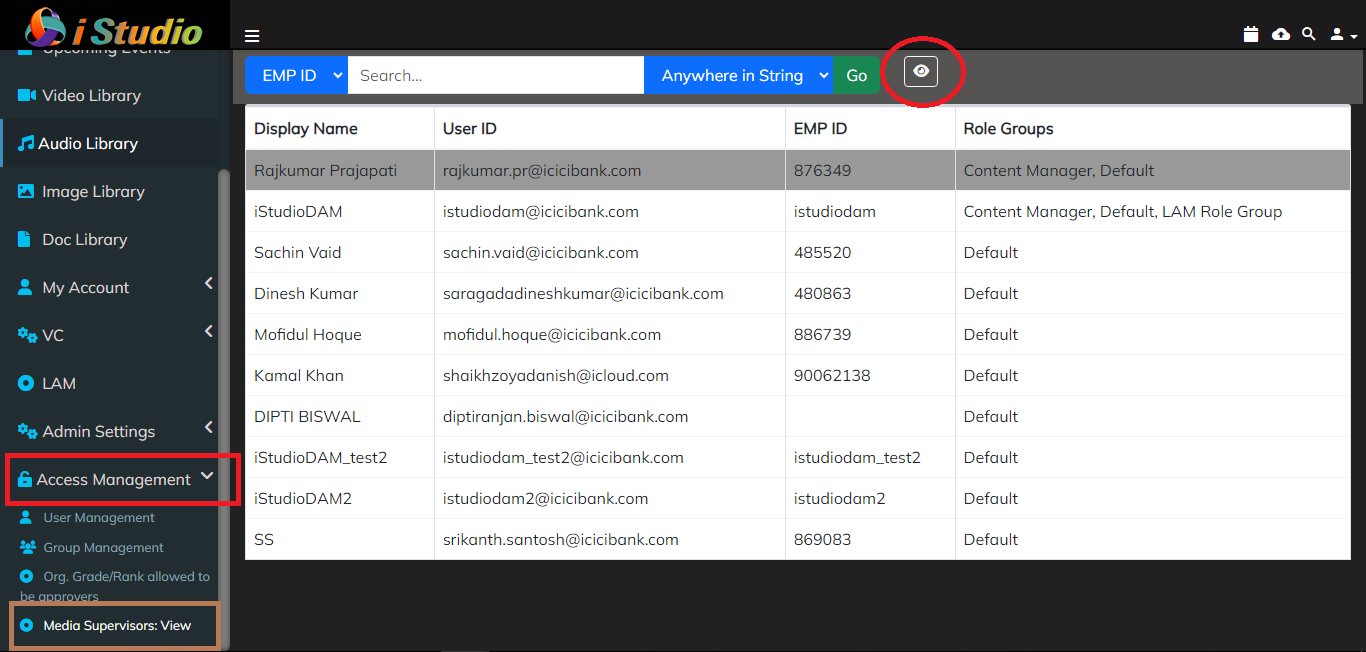
- List displays All the Users in the Application.
- Seach box given to search the desired user by EMP Id or Name
- Menu is accessible From -
Access Management -> Media Supervisor: view
- Select the required user from the GAL list, and click on the 'View' icon in the header.
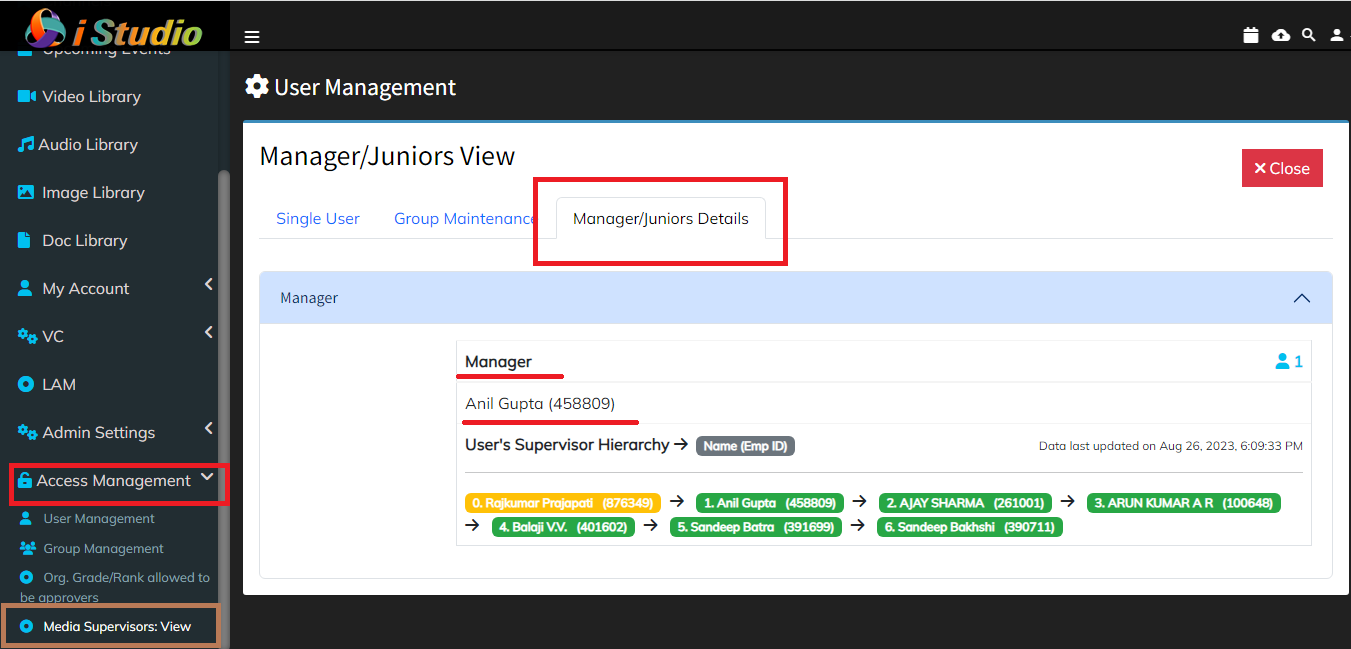
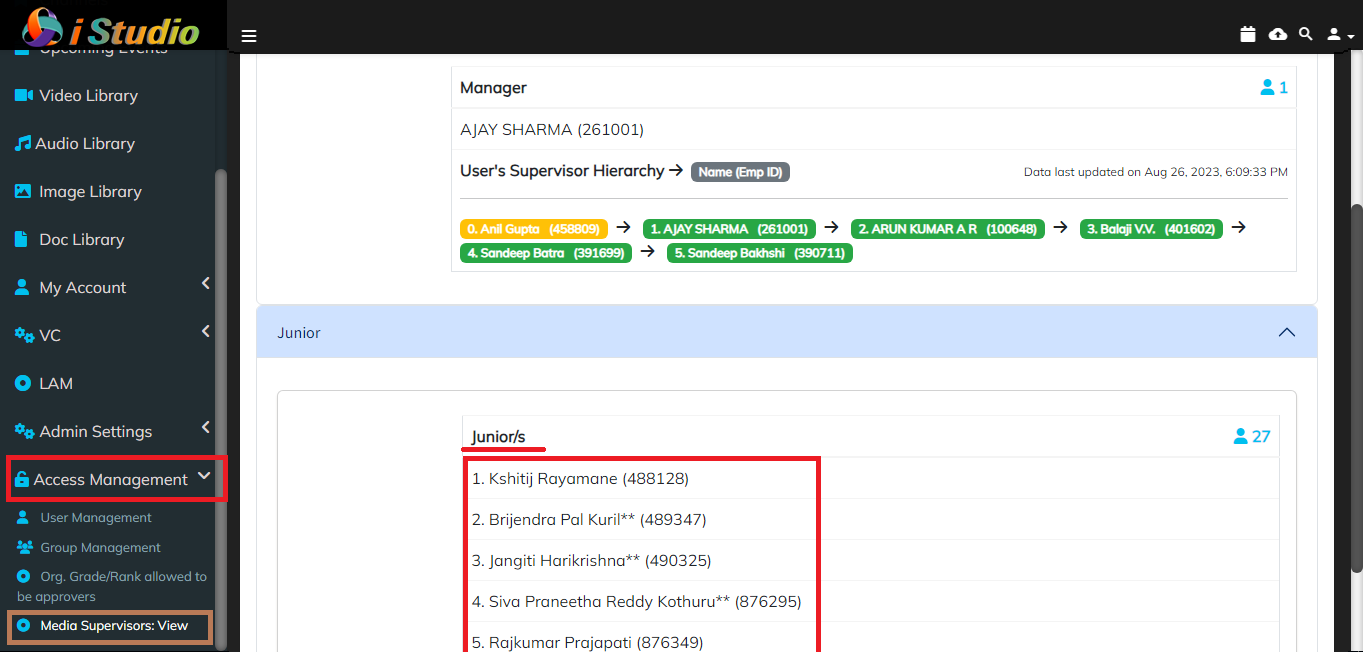
- Application shall navigate to the information page where you can see the user's Supervisor and Juniors list.
- The given information is the read only Data.