Admin Legacy Reports
description: Domain Migration – Legacy Reports
Admin Legacy Reports
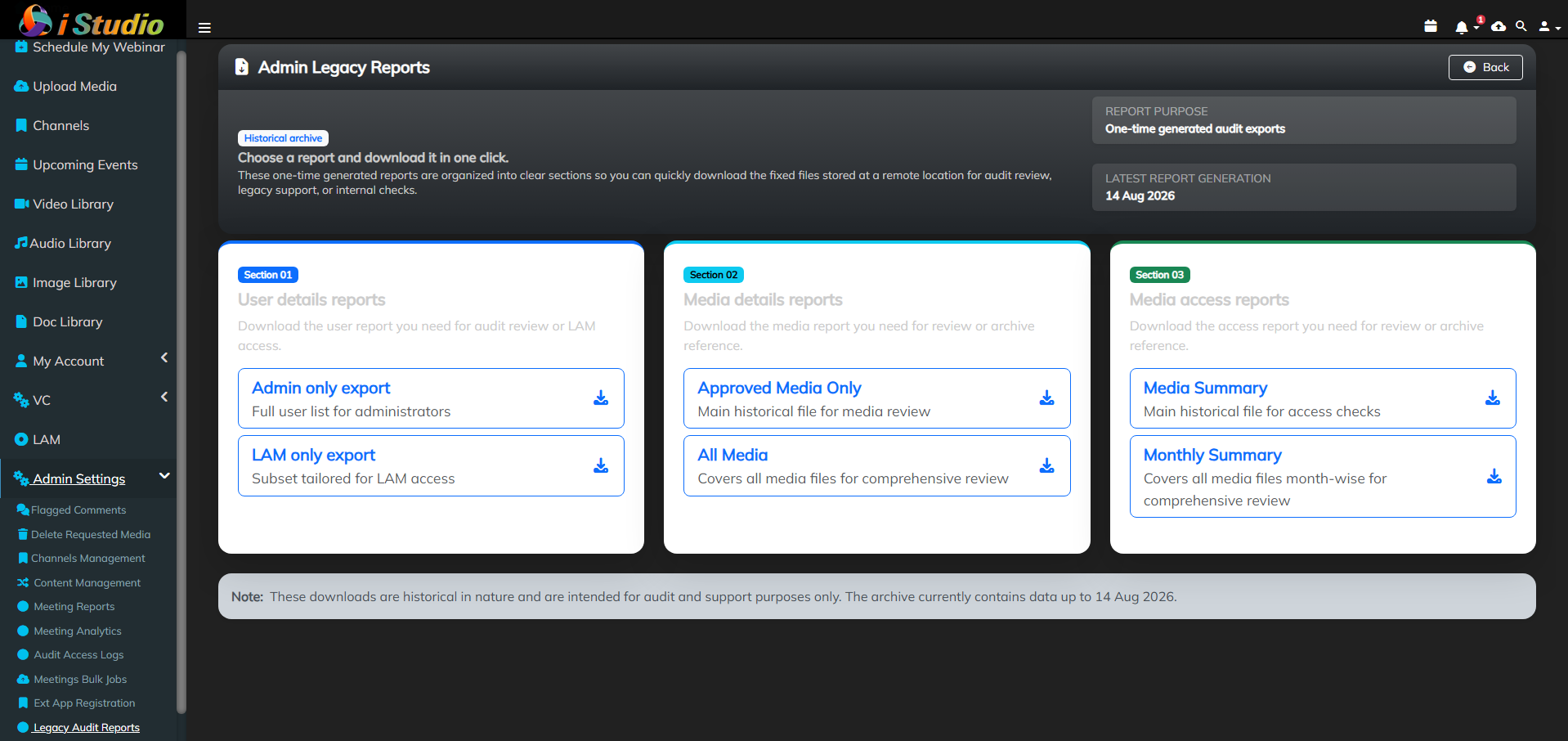
As part of Domain Migration CR, the email domain for application users was migrated from icicibank.com to icici.bank.in.
To support audit and historical reference requirements, reports containing user information with the previous (icicibank.com) email domain were generated prior to the migration and securely retained in storage for future access.
The following three categories of reports have been prepared and stored:
- Users Report * All Users – Admin Usage * All Users – LAM Usage
- Media Report * Approved Media Only * All Media
- Media Access Report * All Media – Summary * All Media – Month-wise
These reports are retained as legacy/historical records and can be accessed when required for audit, verification, or reference purposes.
Note: The reports available on this page contain historical data captured up to and including 14 August 2026. These reports were generated as part of the Domain Migration CR activity and are retained for audit, verification, and historical reference purposes. Any data or changes occurring after 14 August 2026 are not reflected in these reports.
Accessing the Admin Legacy Reports Page
- Log in to the application using an account with Administrator privileges.
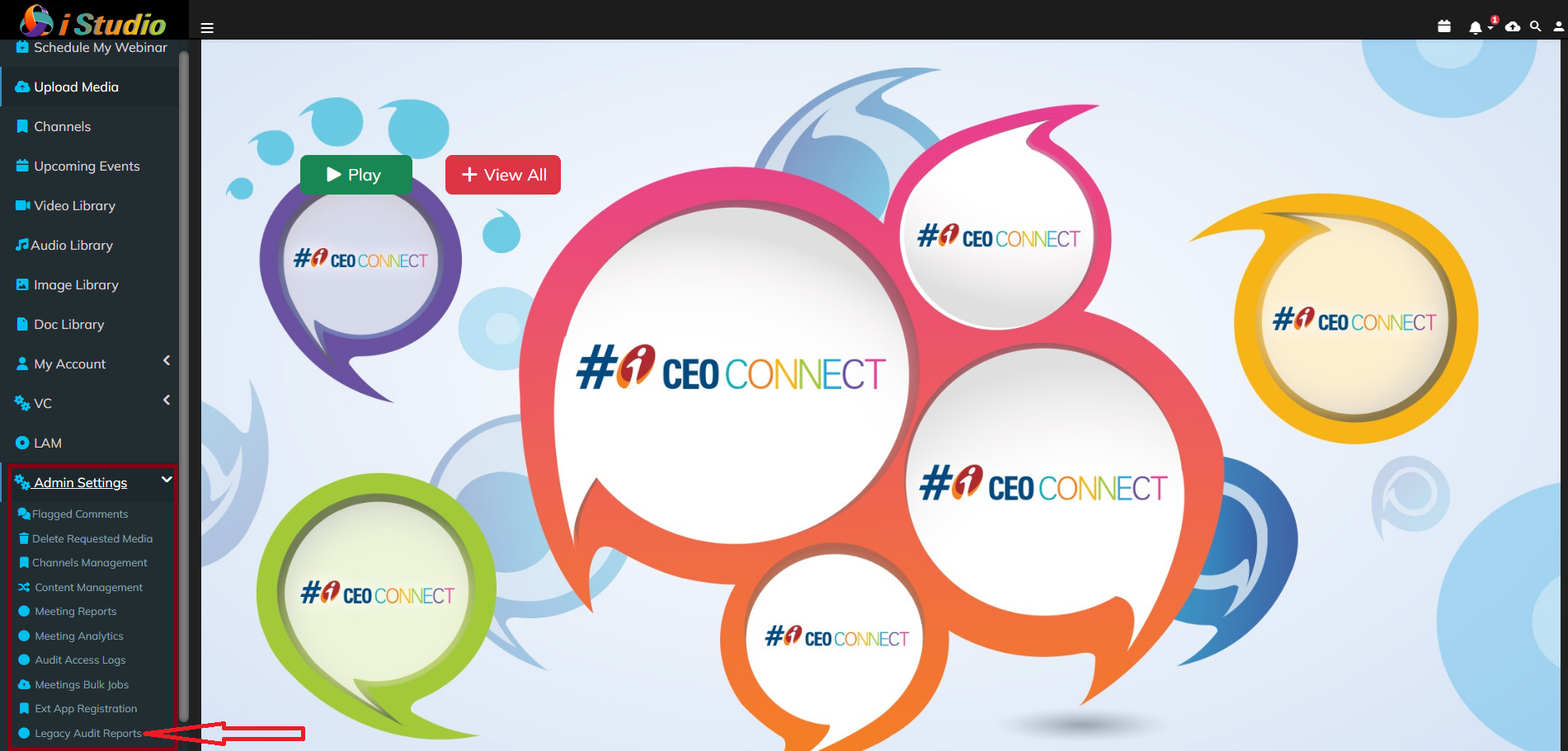
- Navigate to Admin Settings → Admin Legacy Reports.
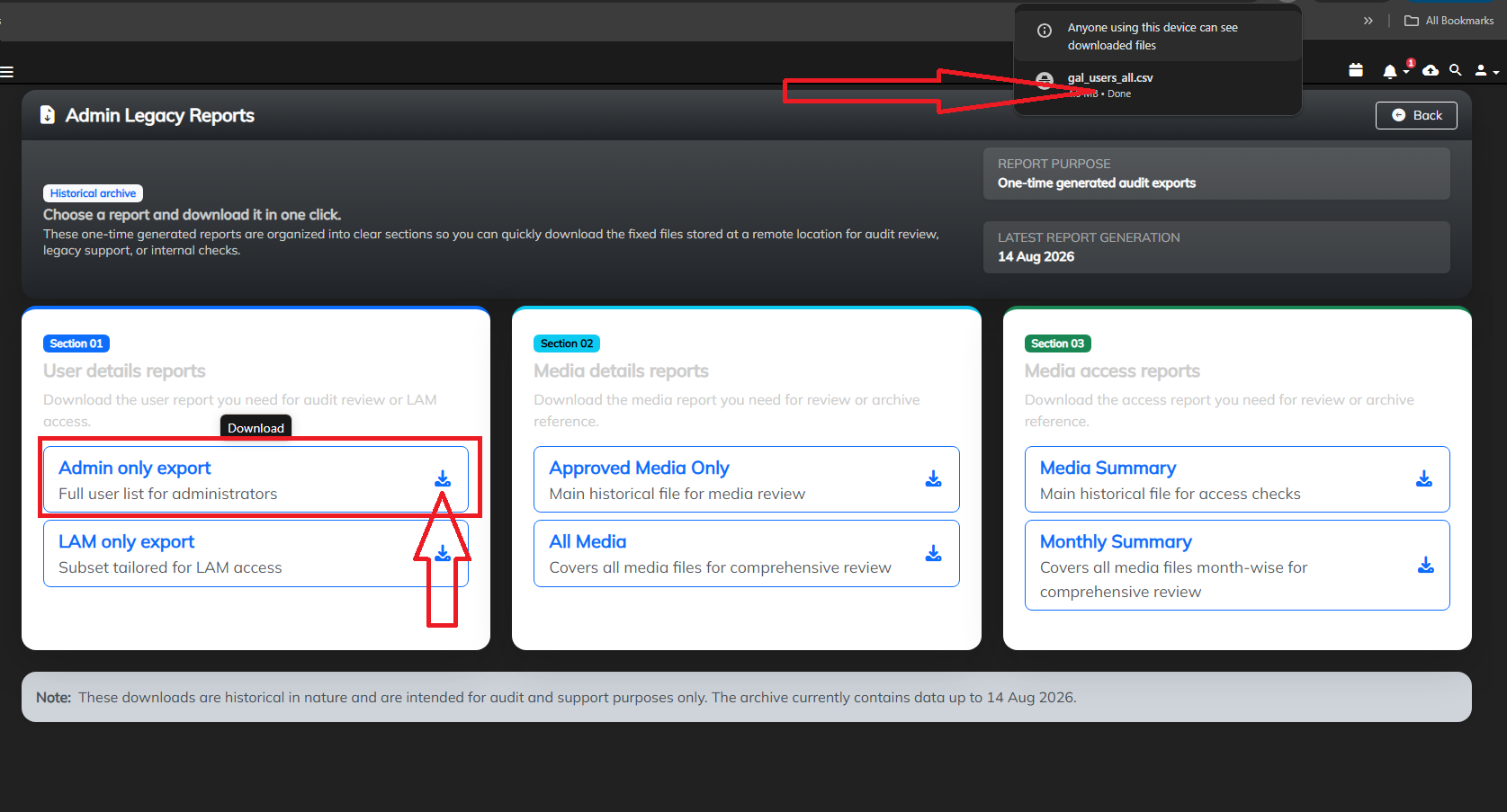
Upon opening the page, the Legacy Reports page will be displayed with the above-mentioned three report categories. Each section will provide the respective reports with options to download the reports directly to the local system for audit, verification, or reference purposes.